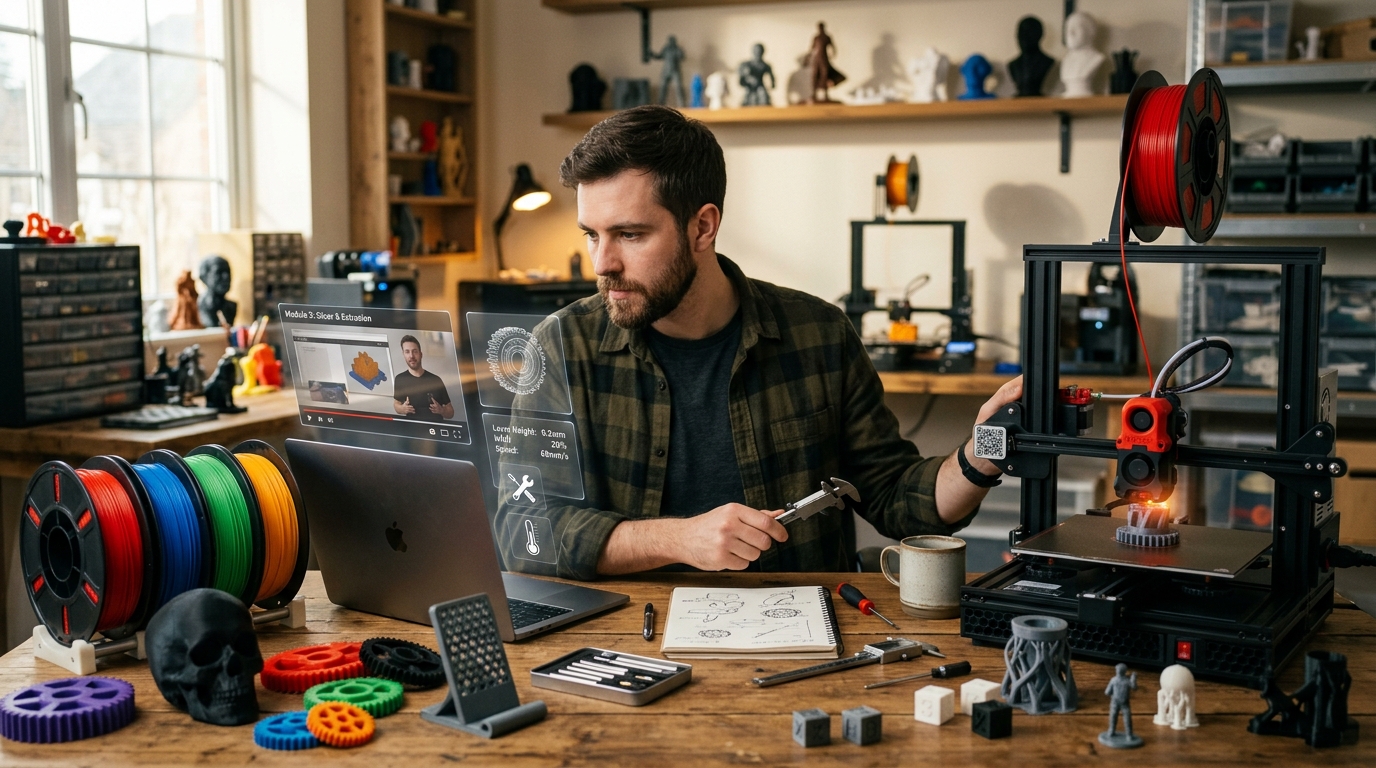
3D printing has a special kind of magic.
You imagine an object, open a digital model, send it to a machine, and a few hours later something physical appears in front of you.
A phone stand.
A miniature.
A replacement part.
A custom organizer.
A decoration piece.
A prototype.
A gift.
A product that did not exist yesterday.
That is why 3D printing attracts so many beginners. It feels like a bridge between imagination and reality. It looks like one of those technologies that can turn ideas into objects, hobbies into skills, and skills into possible income.
But there is one thing many beginners only discover after buying their first printer:
3D printing is not just pressing a button.
A 3D printer is not a magic box.
It is a tool.
And like any tool, it rewards people who understand how to use it.
The first prints may fail. The filament may not stick to the bed. The nozzle may clog. The layers may shift. The surface may look rough. The model may need supports. The print may warp. The slicer settings may be wrong. The printer may need calibration. The material may not be right for the project.
This is where many beginners get frustrated.
They buy the machine because they saw amazing prints online. Then they realize that behind every beautiful result there is a combination of settings, materials, maintenance, software, patience, and practice.
That leads to a common question:
Is a 3D printing course worth it?
The honest answer is: it depends on your goal.
If you only want to print simple models for fun, you can learn a lot through free videos, forums, manuals, communities, and trial and error.
But if you want to avoid wasting material, understand the machine faster, create better prints, sell products, design your own objects, or use 3D printing as a real skill, a good course can save time, money, and frustration.
A course does not replace practice.
But it can help you practice in the right direction.
Why 3D Printing Looks Easier Than It Really Is
From the outside, 3D printing looks simple.
Download a model.
Open a program.
Press print.
Wait.
Remove the object.
That is the version people see in short videos.
But real 3D printing has many invisible decisions.
What printer type should you use?
What material is right for the object?
What temperature should the nozzle have?
What temperature should the bed have?
How much infill is enough?
Does the model need supports?
Should the layer height be smaller or larger?
Is the bed level?
Is the filament dry?
Is the nozzle clean?
Is the print speed too high?
Is the first layer sticking properly?
Is the model oriented correctly?
These details can change the final result completely.
A beginner may use the same printer and the same model as someone else and still get a much worse result because the settings are different.
This is why 3D printing can be both exciting and frustrating.
It is not only creative.
It is technical.
It involves design, materials, mechanics, temperature, movement, software, and finishing.
That is also why learning the basics properly matters so much.
A person who understands the process can solve problems faster.
A person who only presses buttons may get stuck every time something goes wrong.
Do You Need a Course to Use a 3D Printer?
No, a course is not mandatory.
Many people learn 3D printing on their own.
There are free tutorials, communities, discussion forums, documentation, YouTube channels, maker groups, and online resources. If you enjoy experimenting, you can learn a lot without paying for a course.
But learning alone has a cost too.
That cost is usually paid with time, failed prints, wasted filament, frustration, broken parts, bad settings, and confusion.
A good course can organize the learning path.
Instead of jumping randomly from one video to another, you learn in a sequence.
Printer basics.
Materials.
Bed leveling.
Slicer settings.
Common failures.
Maintenance.
Model preparation.
Finishing.
Safety.
Business ideas, if that is your goal.
This can be especially useful if you want to use 3D printing professionally or semi-professionally.
If your plan is only to print toys occasionally, a course may not be urgent.
If your plan is to sell products, create prototypes, offer services, design custom items, or build a small maker business, learning properly becomes more important.
A 3D printing course is worth considering when you want fewer mistakes, faster progress, and a clearer path.
The printer is the machine.
Knowledge is what makes the machine useful.
What a Beginner Should Learn First
Many beginners make the mistake of starting with advanced modeling before understanding the printer.
They want to design complex objects immediately.
But if you do not understand how the printer works, even a good model can fail.
The best first step is learning how to operate the machine well.
That means understanding the printing process from beginning to end.
How the printer moves.
How the material melts or cures.
How the first layer sticks.
How supports work.
How temperature affects quality.
How speed changes the result.
How different materials behave.
How to clean, calibrate, and maintain the printer.
Before trying to create advanced products, a beginner should learn how to produce reliable prints.
A simple, clean, accurate print is more valuable than a complex model that fails every time.
This is also important for business.
If you ever want to sell 3D printed products, consistency matters.
A customer does not care that the printer was difficult to calibrate.
They care about receiving a good product.
So the first goal is not becoming a modeling expert.
The first goal is becoming a reliable printer operator.
FDM vs Resin Printing
One of the first things beginners should understand is the difference between FDM printers and resin printers.
FDM printers use filament.
The printer heats the filament, pushes it through a nozzle, and builds the object layer by layer.
FDM is popular among beginners because it is widely available, practical, and useful for many types of objects. It can be used for functional parts, organizers, simple decorations, tools, brackets, prototypes, cosplay parts, and larger objects.
Common FDM materials include PLA, PETG, ABS, TPU, and other specialized filaments.
Resin printers work differently.
They use liquid resin cured by light. Resin printing can produce much finer details, which makes it popular for miniatures, collectibles, jewelry prototypes, small artistic objects, figures, dental models, and detailed pieces.
But resin printing requires more care.
Liquid resin can be messy and needs proper handling. The process usually involves washing, curing, ventilation, gloves, safety precautions, and careful cleanup.
For many beginners, FDM is easier to start with.
For people interested in miniatures or highly detailed pieces, resin may be more attractive.
Neither is automatically better.
They serve different purposes.
A good course should explain this before you buy equipment, because choosing the wrong printer for your goal can create disappointment.
If you want to print large functional objects, a resin printer may not be ideal.
If you want highly detailed miniatures, a basic FDM printer may not give the result you expect.
The right printer depends on the right use case.
Materials: Why Filament Choice Matters
Material choice is one of the most important parts of 3D printing.
Beginners often think all filament is basically the same.
It is not.
Different materials behave differently.
PLA is one of the most beginner-friendly materials. It is easier to print, widely available, and good for many decorative and basic functional objects.
PETG is often used when more durability, flexibility, or temperature resistance is needed. It can be stronger than PLA in many situations, but it may require better settings.
ABS can be useful for stronger parts, but it can be more difficult to print because it may warp and usually requires better ventilation and temperature control.
TPU is flexible and can be used for rubber-like objects, but it can be harder to print because of its elasticity.
Resin comes in different types too, depending on detail, strength, flexibility, and use case.
A beginner course should teach not only material names, but when to use each material.
What is the object for?
Will it be decorative?
Will it hold weight?
Will it stay indoors or outdoors?
Will it be exposed to heat?
Does it need flexibility?
Does it need detail?
Does it need strength?
Choosing the wrong material can ruin a good design.
For example, a beautiful PLA part may deform if left in a hot environment. A flexible object cannot be printed well with rigid material. A decorative miniature may need more detail than an FDM printer can provide.
Materials are not just supplies.
They are part of the design decision.
The Slicer Is Where Many Results Are Decided
A slicer is the software that prepares the 3D model for printing.
It takes a digital object and converts it into instructions the printer can follow.
This is one of the most important things beginners need to learn.
The slicer controls many settings, including layer height, temperature, speed, infill, supports, wall thickness, retraction, adhesion, cooling, and print quality.
A beginner may think the model is the most important part.
But slicer settings can make or break the print.
The same model can produce a good print or a terrible print depending on how it is sliced.
For example, if the temperature is too low, the layers may not bond well.
If the temperature is too high, the print may look messy.
If the speed is too fast, details may suffer.
If supports are wrong, the model may fail.
If bed adhesion is weak, the print may detach.
If retraction is wrong, stringing may appear.
Common slicers include Cura, PrusaSlicer, Bambu Studio, and others, depending on the printer and workflow.
A good course should teach beginners how to understand slicer settings instead of only copying profiles.
Copying settings can work sometimes, but understanding settings is better.
When something goes wrong, you need to know what to adjust.
The slicer is where a beginner becomes more independent.
Calibration: The Difference Between Frustration and Progress
Calibration is not the most glamorous part of 3D printing, but it is one of the most important.
A poorly calibrated printer can make even simple prints fail.
Beginners should learn how to check the first layer, level the bed, adjust Z-offset, calibrate extrusion, check belts, inspect movement, and understand basic printer behavior.
The first layer is especially important.
If the first layer is too high, the filament may not stick.
If it is too low, the nozzle may scrape the bed or block extrusion.
If bed adhesion is poor, the print may detach halfway through.
Many beginners waste hours because they do not understand the first layer.
Calibration teaches you to observe the printer.
You begin to notice sounds, movement, surface quality, line consistency, and small signs of trouble.
This is a skill.
The more you print, the more you learn to recognize problems early.
A good course should teach calibration visually and practically.
It should not only say “level the bed.”
It should show what a good first layer looks like, what a bad first layer looks like, and how to fix it.
That kind of learning can save a lot of material.
Common 3D Printing Problems Beginners Should Understand
Every beginner will face failed prints.
This is normal.
The problem is not failure.
The problem is not knowing why the failure happened.
Some common issues include warping, stringing, layer shifting, clogged nozzles, poor bed adhesion, under-extrusion, over-extrusion, weak parts, rough surfaces, support scars, elephant’s foot, and failed bridges.
Each problem has possible causes.
Warping may be related to temperature, cooling, bed adhesion, material, or environment.
Stringing may be related to retraction, temperature, travel speed, or filament moisture.
Layer shifting may be related to belts, speed, mechanical problems, or collisions.
Clogs may be related to filament quality, temperature, dust, heat creep, or nozzle wear.
Weak parts may be related to infill, wall thickness, print orientation, material, or layer adhesion.
A strong beginner course should teach troubleshooting.
Troubleshooting is what turns frustration into learning.
When a print fails, you should be able to ask:
What failed?
When did it fail?
Where did it fail?
Was the first layer good?
Did the material stick?
Were supports needed?
Was the temperature correct?
Was the model oriented well?
Was the filament dry?
Did the machine make unusual sounds?
This habit matters.
3D printing is a process of observation and adjustment.
Basic Maintenance Matters More Than Beginners Think
A 3D printer needs maintenance.
It is a machine with moving parts, heat, pressure, belts, motors, fans, nozzles, beds, rods, rails, and electronics.
If you ignore maintenance, print quality can decline.
Beginners should learn how to clean the bed, inspect the nozzle, change a nozzle, check belts, clean fans, remove filament debris, lubricate parts when appropriate, update firmware carefully, and keep the printer environment clean.
Maintenance also includes understanding wear.
Nozzles wear out.
Build surfaces can lose adhesion.
Filament can absorb moisture.
Belts can loosen.
Fans can collect dust.
A printer that worked perfectly last month may need adjustment today.
This is another reason a course can be useful.
Many beginners do not realize that print quality problems are sometimes mechanical, not software-related.
They keep changing slicer settings when the actual problem is a dirty nozzle, loose belt, wet filament, or bad bed adhesion.
Maintenance is not separate from printing.
It is part of printing.
Do You Need to Learn 3D Modeling?
You do not need to learn advanced 3D modeling on day one.
You can start by printing ready-made models from online platforms, if the license allows the type of use you want.
This is a good way to learn the machine.
Print simple objects.
Test settings.
Compare materials.
Understand supports.
Practice finishing.
Learn calibration.
But if you want to grow, 3D modeling becomes more important.
Modeling is what allows you to create your own products instead of depending only on existing files.
This is especially important if you want to sell items, make custom pieces, solve specific problems, or create original designs.
A person who can only print files is limited.
A person who can design, modify, and print has more possibilities.
You do not need to become an expert immediately.
Start small.
Modify a simple object.
Add a name.
Change dimensions.
Create a basic organizer.
Design a replacement part.
Make a simple bracket.
Create a custom stand.
Little by little, modeling turns 3D printing from a hobby into a creative skill.
Which Software Should Beginners Learn?
The best software depends on your goal.
Tinkercad is a good starting point for absolute beginners. It is simple, browser-based, and useful for understanding basic shapes, grouping, holes, and simple designs.
Fusion 360 is strong for functional parts, product design, measurements, mechanical pieces, brackets, enclosures, and objects that need precision.
Blender is popular for artistic models, organic shapes, characters, decorations, and creative designs.
Nomad Sculpt is useful for people who want to sculpt on a tablet, especially for characters, miniatures, and artistic objects.
ZBrush is more advanced and widely used for professional digital sculpting, collectibles, characters, and high-detail organic work.
A beginner should not try to learn all of them at once.
Choose based on direction.
If you want functional parts, start with Tinkercad and then Fusion 360.
If you want artistic objects, start with Blender or Nomad Sculpt.
If you want miniatures and collectibles, sculpting tools may matter more.
If you want simple products for home organization, functional modeling may be enough.
Software is not the goal.
The goal is creating printable objects.
A good course should help you choose the right tool for your path instead of overwhelming you with every possible program.
What Type of 3D Printing Course Is Worth It?
Not every course is worth your time.
Some courses are too basic.
Some are too advanced.
Some focus only on the machine.
Some focus only on modeling.
Some promise unrealistic results.
A good course should match your goal.
If your goal is hobby printing, look for a course that teaches printer operation, slicer settings, materials, calibration, maintenance, and troubleshooting.
If your goal is selling products, look for a course that also teaches product selection, pricing, finishing, photography, packaging, customer expectations, and online selling basics.
If your goal is miniatures, look for resin printing, supports, washing, curing, safety, painting, and finishing.
If your goal is functional parts, look for Fusion 360, measurements, tolerances, strength, material choice, and prototyping.
If your goal is characters or collectibles, look for Blender, Nomad Sculpt, ZBrush, anatomy basics, sculpting workflow, supports, and resin printing.
A good course should show real failures.
This is important.
If the instructor only shows perfect prints, the course may not prepare you for reality.
Beginners need to see mistakes.
They need to understand why prints fail and how to fix them.
A course that teaches troubleshooting is often more valuable than a course that only shows beautiful results.
Can 3D Printing Become a Business?
3D printing can become part of a business, but beginners should be careful with expectations.
Buying a printer does not automatically create income.
A printer is a production tool.
A business needs more than production.
It needs a product people want, a clear niche, pricing, quality control, good photos, customer service, packaging, delivery, marketing, and consistency.
Some people sell custom items, replacement parts, miniatures, decorations, cosplay accessories, gaming accessories, organizers, personalized gifts, prototypes, educational models, and niche products.
But competition can be strong.
Many people have printers now.
That means the opportunity is not simply “I can print.”
The opportunity is “I can create or deliver something people value.”
Original design can help.
Better finishing can help.
A specific niche can help.
Customization can help.
Fast local delivery can help.
Professional photos can help.
Reliable quality can help.
Understanding the customer can help.
A course focused on business should not only teach printing.
It should teach how to think like a small product creator.
What problem does the product solve?
Who is the buyer?
How much will it cost to produce?
How much time does it take?
What is the failure rate?
How much post-processing is needed?
How will it be packaged?
Can it break during shipping?
Can it be repeated consistently?
Without these questions, selling 3D prints can become stressful.
Where Can You Sell 3D Printed Products?
After learning the basics, people may sell through different channels, depending on their country, product type, and business model.
Possible options include online marketplaces, local marketplaces, social media, niche communities, craft platforms, direct orders, local businesses, collector groups, gaming communities, cosplay groups, and custom commission work.
Some sellers use platforms like Etsy, eBay, Amazon Handmade, local marketplace sites, Instagram, TikTok, Pinterest, Facebook groups, or their own website.
But the platform matters less than the product-market fit.
A beautiful product in the wrong place may not sell.
A simple product in the right niche may perform well.
For example, a personalized desk accessory may work well for remote workers.
A miniature may work well in collector communities.
A cosplay part may work better in fan groups.
A replacement part may work through search-based marketplaces.
A home organizer may perform well with visual content.
The sales channel should match the buyer.
Also, always respect licenses.
Not every 3D model found online can be used commercially.
Some files are for personal use only.
If you plan to sell printed objects, check the license carefully or create your own designs.
This is one of the most important professional habits in 3D printing.
Pricing: The Part Beginners Often Ignore
Many beginners price 3D printed products incorrectly.
They look only at filament cost.
That is a mistake.
A printed object costs more than material.
You need to consider electricity, machine time, failed prints, maintenance, nozzle wear, packaging, sanding, painting, labor, platform fees, shipping materials, customer service, and design time.
A product that uses little filament may still take many hours to print.
A product that looks simple may require sanding, assembly, painting, or packaging.
A product with a high failure rate may be more expensive than it seems.
If you do not calculate properly, you may sell a lot and still earn very little.
This is another reason a business-oriented course can help.
It can teach beginners to think beyond the print.
A 3D printing business is not only about making objects.
It is about making objects profitably and reliably.
The goal is not to be busy.
The goal is to build something sustainable.
Finishing Can Make a Product Look Professional
The print is not always the final product.
Many 3D printed items need finishing.
This may include removing supports, sanding, priming, painting, smoothing, assembling, gluing, polishing, or packaging.
Finishing can completely change the perceived value of a product.
A raw print with visible lines may look homemade.
A well-finished print may look like a real product.
This matters if you want to sell.
Customers judge appearance quickly.
Even if the object is functional, poor finishing can reduce trust.
A good course may teach basic finishing techniques, especially for products, miniatures, decorations, cosplay pieces, and gifts.
Finishing also affects photography.
A product that looks better in photos is easier to sell online.
This does not mean every product needs to be painted or polished.
Some functional parts do not need artistic finishing.
But every product should match customer expectations.
If you sell something as premium, it should look premium.
If you sell something as practical, it should work well.
If you sell something as decorative, surface quality matters.
Safety Should Not Be Ignored
3D printing is exciting, but safety matters.
FDM printers use heat and moving parts.
Resin printers involve liquid resin, cleaning chemicals, curing processes, and ventilation concerns.
Beginners should learn safe handling from the start.
This may include keeping the printer in a suitable location, avoiding unattended risky setups, understanding ventilation, wearing gloves when handling resin, protecting eyes when needed, storing materials properly, and following manufacturer instructions.
Safety also includes product responsibility.
If you print something that will hold weight, touch food, be used by children, or function as a replacement part, you need to understand the limits of the material and design.
Not every printed object is safe for every use.
A beginner should avoid making strong claims about durability, safety, or suitability without proper knowledge.
This is especially important for selling.
A serious 3D printing course should not ignore safety.
It should teach responsible use, not only exciting possibilities.
When a Course May Not Be Worth It
A course is not always necessary.
If the course is outdated, poorly explained, too generic, or full of unrealistic promises, it may not be worth it.
Be careful with courses that suggest you can buy a printer and quickly make easy money with no skill.
That is not realistic.
Also be careful with courses that do not show real printing problems.
A course that only shows perfect results may look beautiful but fail to prepare you for everyday printing.
A good course should be practical, honest, updated, and focused on real beginner problems.
Before buying a course, check:
Does it teach your printer type?
Does it explain slicer settings?
Does it show troubleshooting?
Does it cover materials?
Does it include maintenance?
Does it match your goal?
Does it teach safety?
Does it show real examples?
Does it avoid exaggerated income promises?
Does it include practice projects?
If the answer is no, keep looking.
Free content may be better than a bad course.
The Best Learning Path for Beginners
A smart beginner path could look like this.
First, understand printer types and choose the right machine for your goal.
Second, learn basic operation, bed leveling, first layer quality, and material handling.
Third, learn slicer settings and print simple test objects.
Fourth, study common failures and how to fix them.
Fifth, practice maintenance.
Sixth, print useful objects and compare settings.
Seventh, learn basic modeling.
Eighth, improve finishing.
Ninth, choose a niche if you want to sell.
Tenth, create original products or carefully use licensed files.
This path is slower than the fantasy version.
But it works better.
Many beginners fail because they skip steps.
They buy a printer, download complex files, get bad results, and blame the machine.
Often, the machine is not the main problem.
The missing step is learning.
Final Thoughts
A 3D printing course can be worth it if it helps you avoid confusion, reduce failed prints, understand your machine, choose better materials, use slicer settings correctly, maintain the printer, and build practical skills.
But a course alone is not magic.
You still need to print.
You still need to test.
You still need to fail.
You still need to adjust.
You still need to learn from each object that comes off the build plate.
The printer is important, but knowledge is what transforms it into a real tool.
If you are a hobbyist, a course can make the experience less frustrating.
If you want to sell products, a course can help you think more professionally.
If you want to create original designs, learning modeling will open more possibilities.
If you want to work with miniatures, functional parts, prototypes, or personalized products, the right training can shorten the path.
The biggest mistake is believing that 3D printing is only about owning a machine.
It is not.
3D printing is a combination of machine, material, software, calibration, design, finishing, and patience.
The people who grow in this market are not always the ones with the most expensive printer.
They are the ones who learn how to turn ideas into well-made objects.
And that is exactly why learning the right way can be worth much more than it seems.












Post Comment